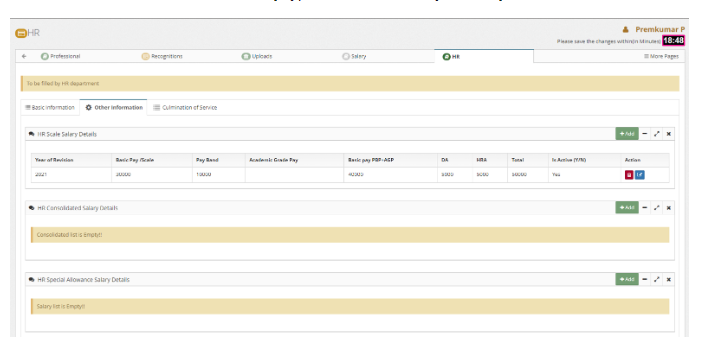
How to Bulk import Salary details of staff ?
Introduction:
HRMS is an indigenous application which helps the Organization to accumulate and maintain the Human Resource data. This document explains how the HR department do bulk import salary details of staffs.
Getting Started:
To access Human Resource Management System
Open an internet browser (Recommended to use Google Chrome)
Type https://my.amrita.edu/ and click enter
Login with your amrita email id and password.
Click HUMAN RESOURCES.
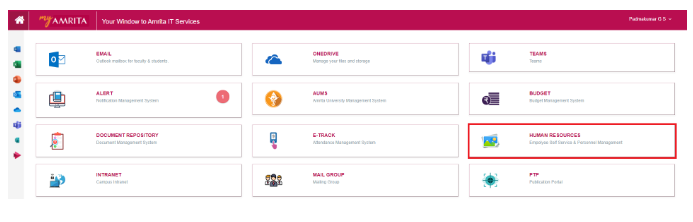
How to Bulk import Salary details of a staff
Dashboard
Go to Dashboard
Click “Go To” >> HR Salary Import
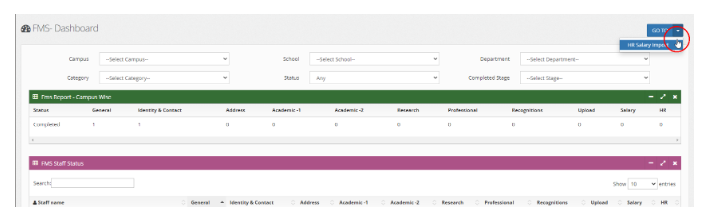
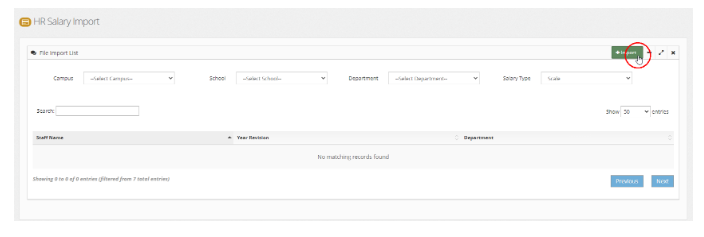
HR Salary Import
Click on Import button
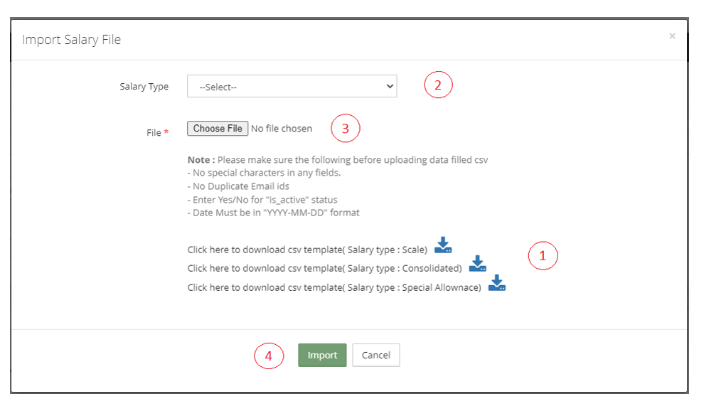
Import Salary File
Download the csv template depending on the salary type and fill the data
Select Salary Type from drop-down
Click Choose File button and browse the data filled csv file
Click Import button at the bottom
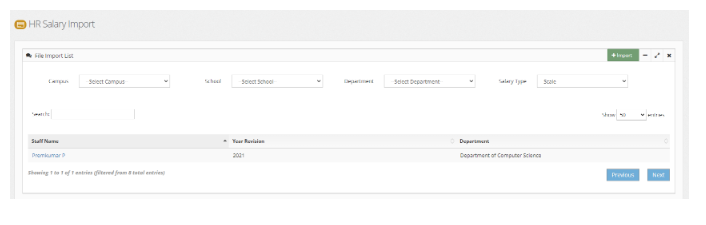
List of imported staff
Use the filters like Campus, School, Department, Salary Type to view the list of Staffs.
Click on the staff name to view Salary details of the staff.
Salary details a Staff
You can edit, delete the existing salary details.
Click Add button near to each salary type to add more salary manually.